Nexus ERP · User Guide
Trading & Point of Sale
The physical trading layer: stock items, locations, movements, transfers and counts; tills that scan and sell stock, products, fees, shop orders and event vouchers; a restaurant floor with tabs and reservations; and events with vouchers sold at the till.
Tellers & waitersStock controllersShop managers
Demo sign-ins: demo.teller, demo.shopmanager — shared password Demo@2026
How it flows
A till sale
Staff / SETAOpen the tillFloat counted in
→
Staff / SETAScan or search itemsStock, products, fees, vouchers, orders
→
Public / customerCustomer paysReceipt printed
→
System / automaticStock and takings updateFeeds counts and settlement
Staff / SETAPublic / customerSystem / automatic
Stock control
Staff / SETAReceive stock into a location
→
Staff / SETAMove or transfer between locations
→
Staff / SETARun a countVariances surfaced
→
System / automaticLevels update everywhereTill sells from live stock
Staff / SETASystem / automatic
1. Till Shift Process
A shift at the till: counted open, honest sales, counted close.
1
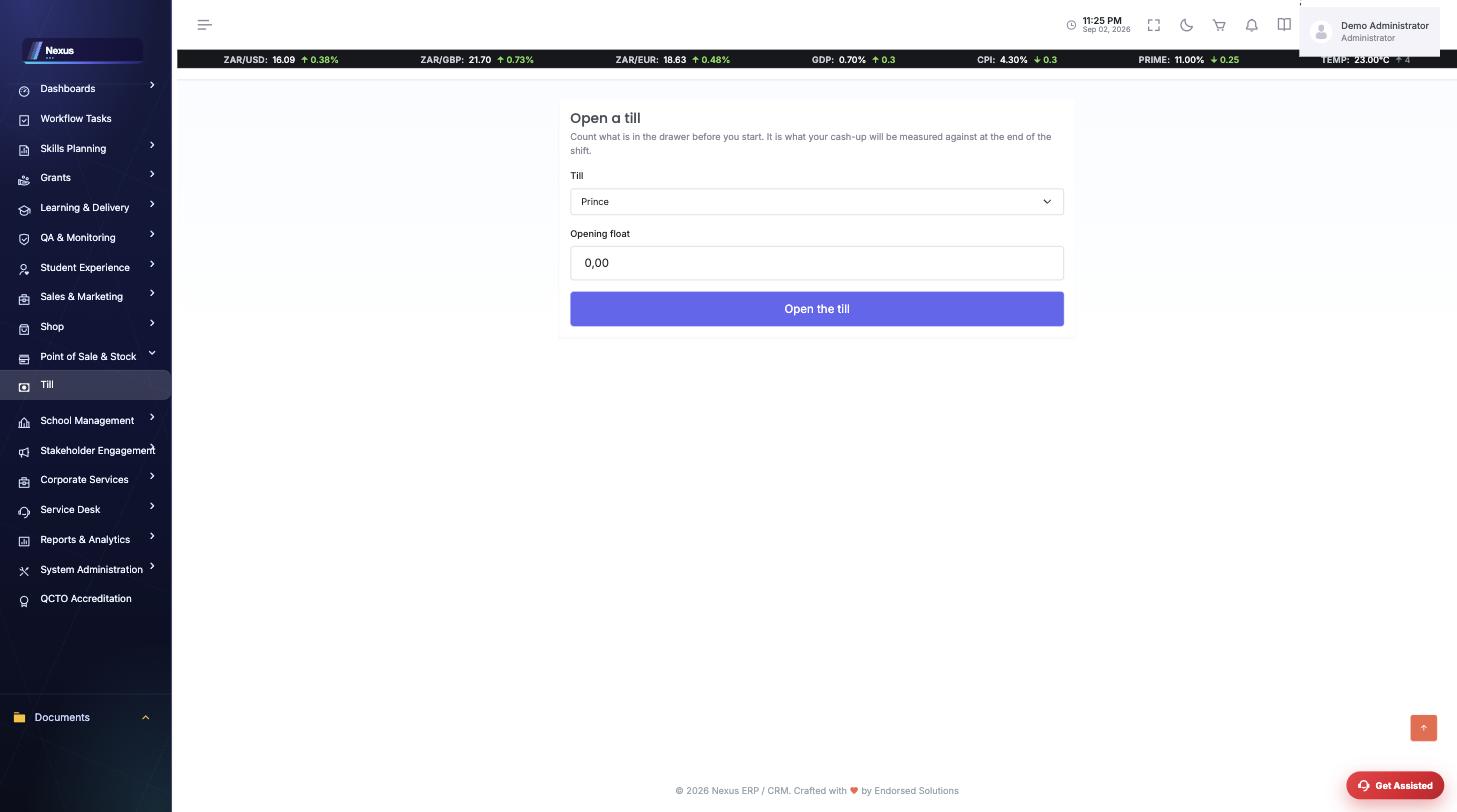
Open the till with a float. /Trading/Till/Index — count what is in the drawer first; the cash-up is measured against it.
↓
2
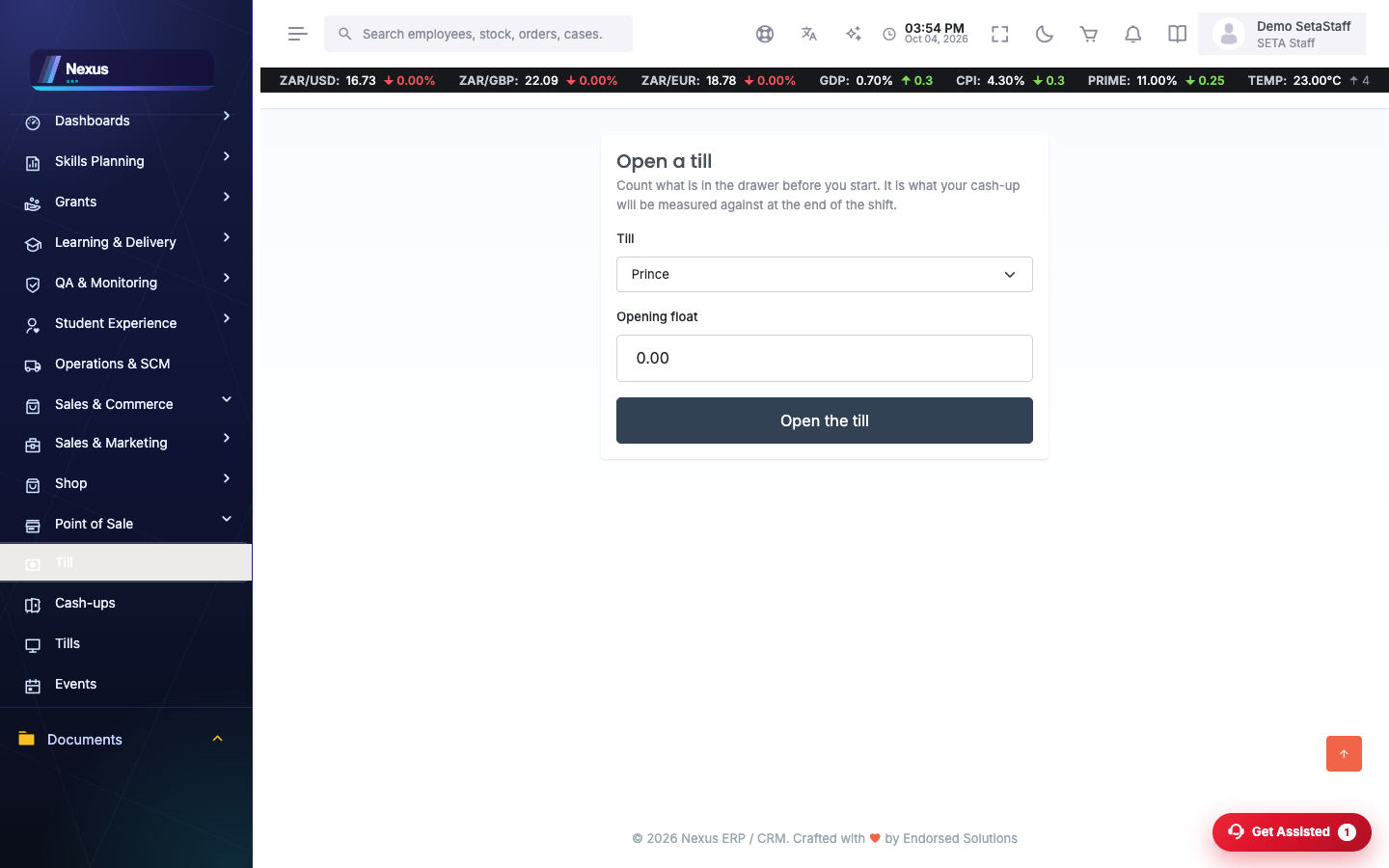
Sell. Stock, products, fees, shop-order collections and event vouchers all ring through the same till — a voucher’s balance is checked as it is redeemed.
↓
3
Cash up. Close the shift by counting the drawer; the difference against float plus sales is the number that has to be explained.
Screen-by-screen
Till
/Trading/Till/Index- Open the till for the day.
- Scan a barcode or search items; the line types cover stock, products, fees, shop orders and event vouchers.
- Attach a learner or code where a sale needs one.
- Close off; takings reconcile against the float.
Tip. Event vouchers scan at the till like any other line — check a voucher's balance with Voucher Balance.
Stock
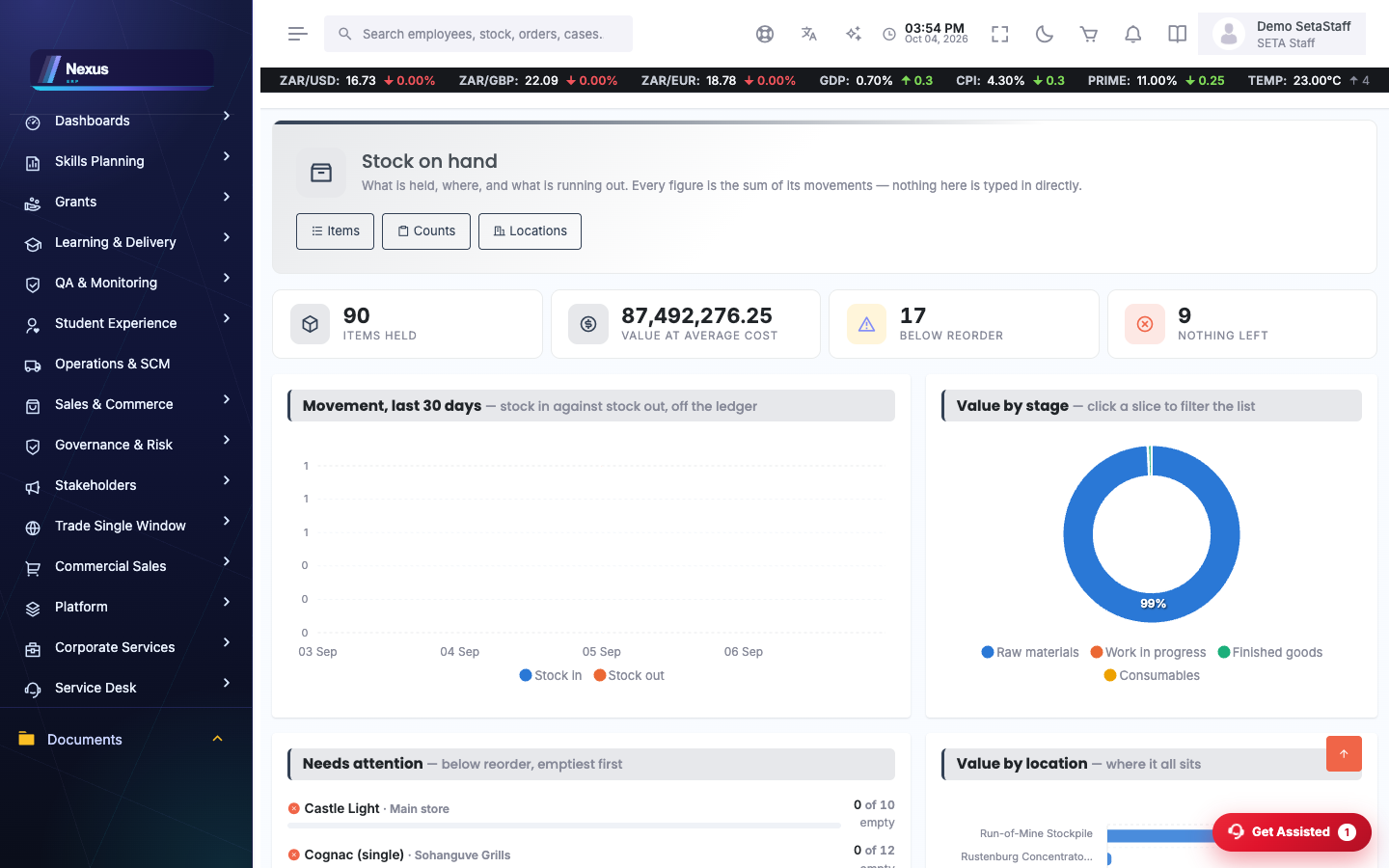
/Trading/Stock/Index- Maintain items and locations.
- Record moves and transfers.
- Run stock counts and post the variances.
Restaurant floor
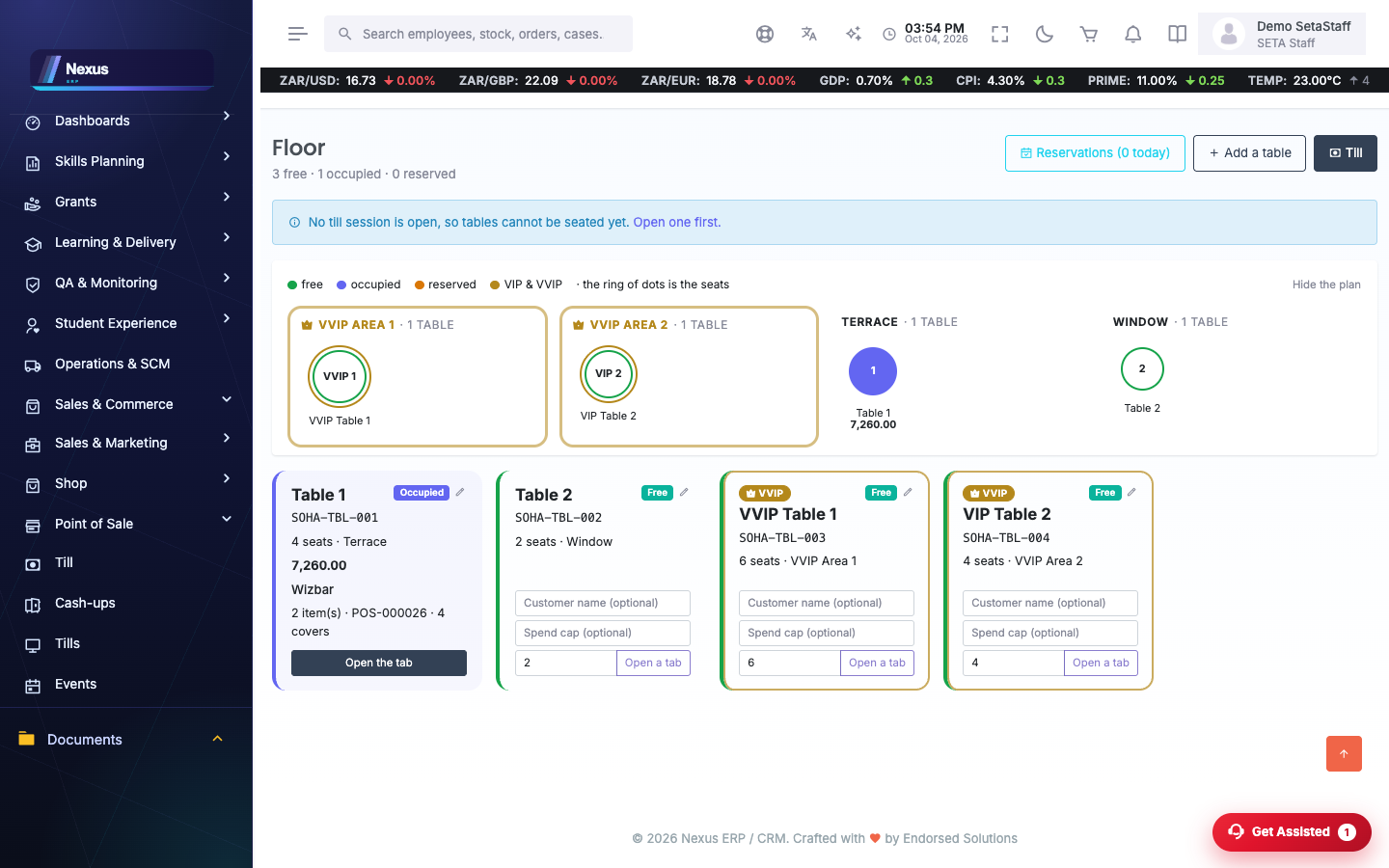
/Trading/Restaurant/Floor- See tables at a glance.
- Open a tab on a table; the till rings it up.
- Take reservations and set table status.
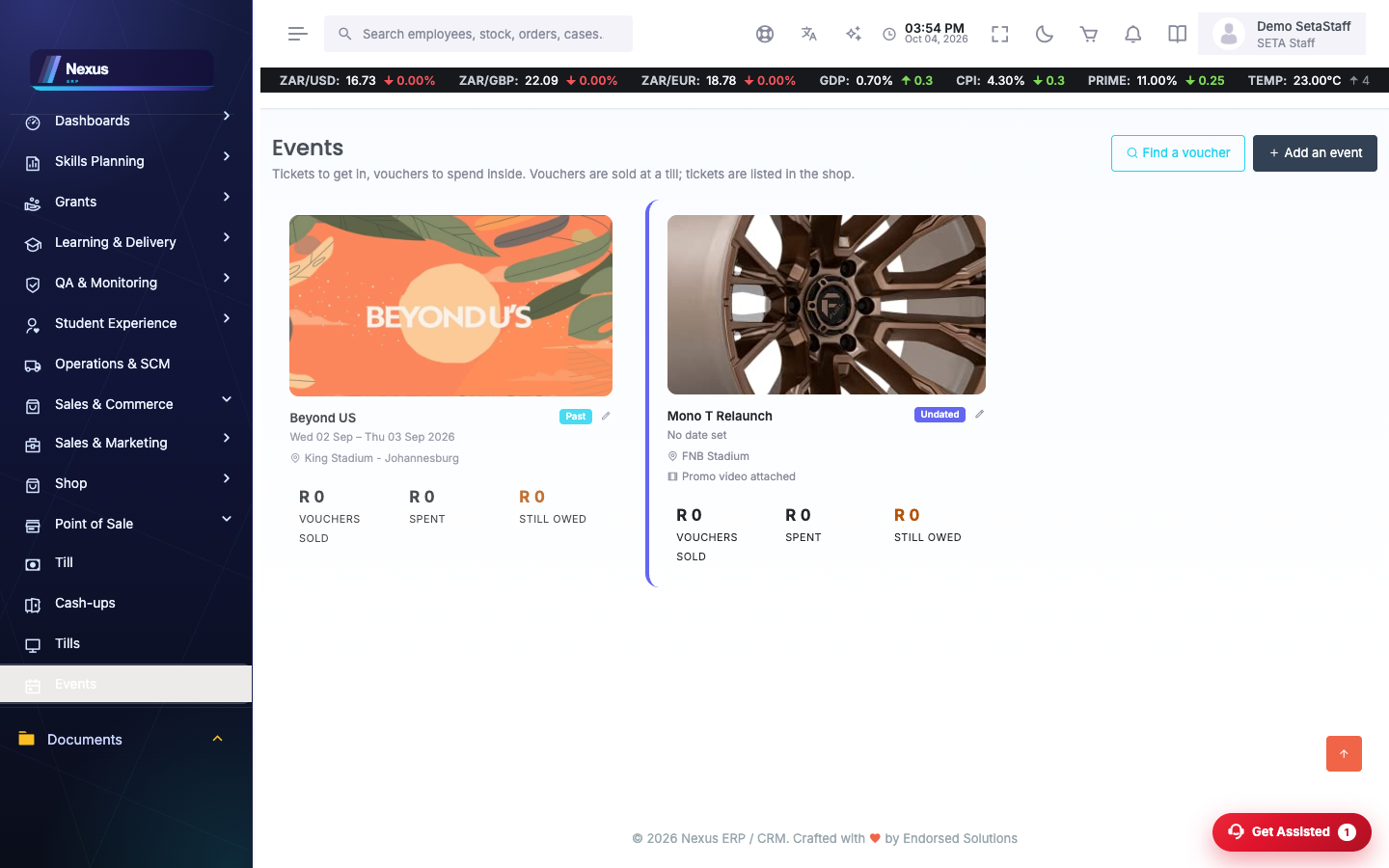
Events
/Trading/Events/Index- Create an event and its voucher stock.
- Vouchers sell at the till and redeem at the door.
FAQ & troubleshooting
A voucher won't scan — why?
Check its balance first (Voucher Balance). A fully redeemed or expired voucher is refused with the reason.