Nexus ERP · User Guide
Workflows & Approvals
Every request that needs a decision flows through here: access approvals, SDP and learner verifications, DG applications, QCTO accreditation processing and site-visit confirmations — organised into queues that staff claim and work.
SETA staffAdministratorsProviders (as requestors)
Demo sign-ins: demo.staff, demo.admin — shared password Demo@2026
How it flows
A request through a queue
Training provider (SDP)Request raisedApplication, access, submission…
→
System / automaticLands in its queueHub shows the counts
→
Staff / SETAClaim itOr allocate to a SETA
→
Staff / SETAProcess & decideApprove / reject with reasons
→
System / automaticRequestor notifiedStatus updates on their side
Staff / SETATraining provider (SDP)System / automatic
QCTO site visit confirmation
Staff / SETASite visit scheduledFrom the accreditation screen
→
System / automaticProvider emailed a confirm linkQueue: Site Visit Confirmations
→
Training provider (SDP)Confirms the visit
→
System / automaticScheduler notifiedWorkflow closes approved
Staff / SETATraining provider (SDP)System / automatic
1. Request Approval Process
Everything that needs a decision travels the same road: submitted, queued, claimed, processed, decided.
1
Something is submitted. An access request, an SDP or learner verification, a DG application, a QCTO accreditation, a mass communication — the submission itself raises the workflow request.
↓
2
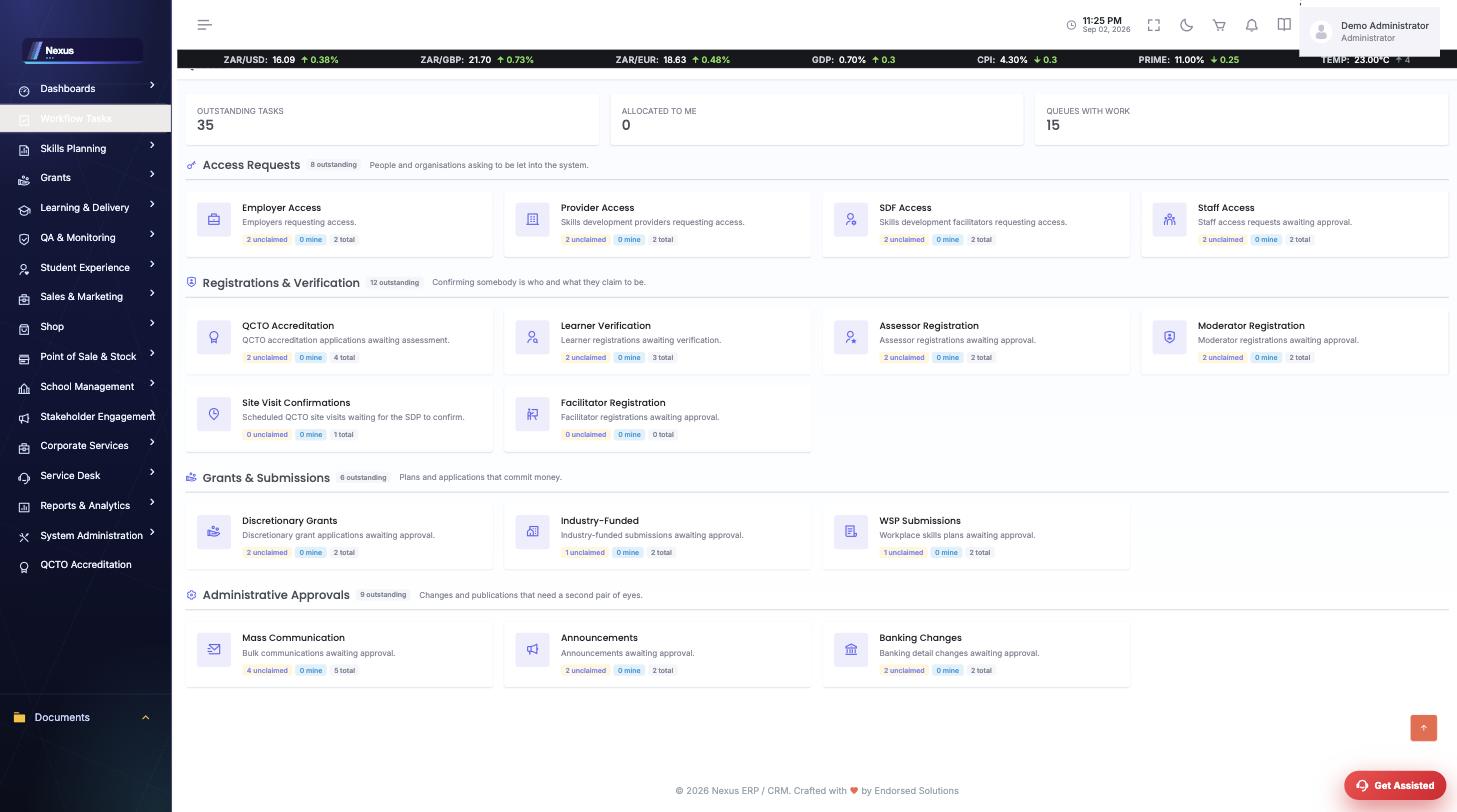
It lands in its queue. The hub shows every queue with live unclaimed / mine / total counts, grouped by what the work is.
↓
3
Somebody claims it. Claiming puts your name on it so two people never process the same request; managers can allocate instead.
↓
4
It is processed on its own screen. Each request type has a purpose-built processing screen — checklists, evaluations, document reviews.

↓
5
Decision, and the requester knows. Approval and rejection both notify the requester; the request leaves the queue and the audit trail keeps the story.
Screen-by-screen
Queue hub
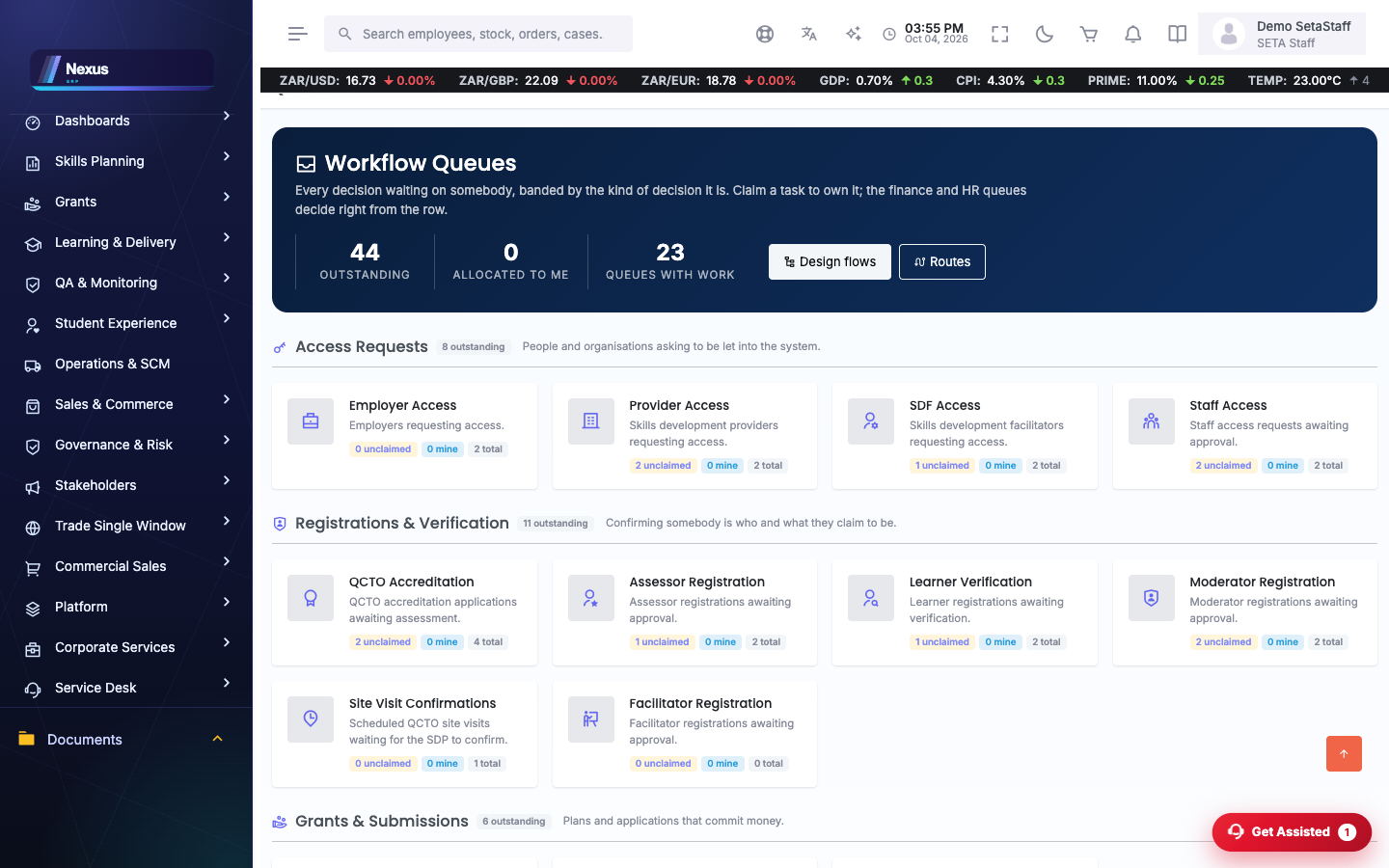
/Workflows/WorkflowQueue/Hub- The hub lists every queue with live counts.
- Open a queue to its requests; claim what you will work.
Tip. QCTO work has two queues: 'QCTO Accreditation' for applications and 'Site Visit Confirmations' for visits awaiting the provider.
Processing screens
/Workflows/WorkflowProcessing/…Each request type has its own processing screen: SDP verification, learner verification, DG approval, access approvals, QCTO accreditation.
- Open the request from its queue.
- Work the checklist or evaluation for that type.
- Decide — approval and rejection both notify the requestor.
Tip. The QCTO accreditation processing screen auto-saves documents and readiness rows as you type — there are no per-row save buttons.
FAQ & troubleshooting
Who sees a queue?
Queues are permission-scoped; the hub only shows queues your role may work.
Can two people work the same request?
Claiming assigns it; claimed requests show who holds them.