Nexus ERP · User Guide
Governance & Risk
Capture risks, governance issues and processes in one register — a live 5×5 risk matrix, a clickable heat map, and a secured store for process documents.
demo.admindemo.staff
📊The governance dashboard
Governance & Risk home /Governance/Governance
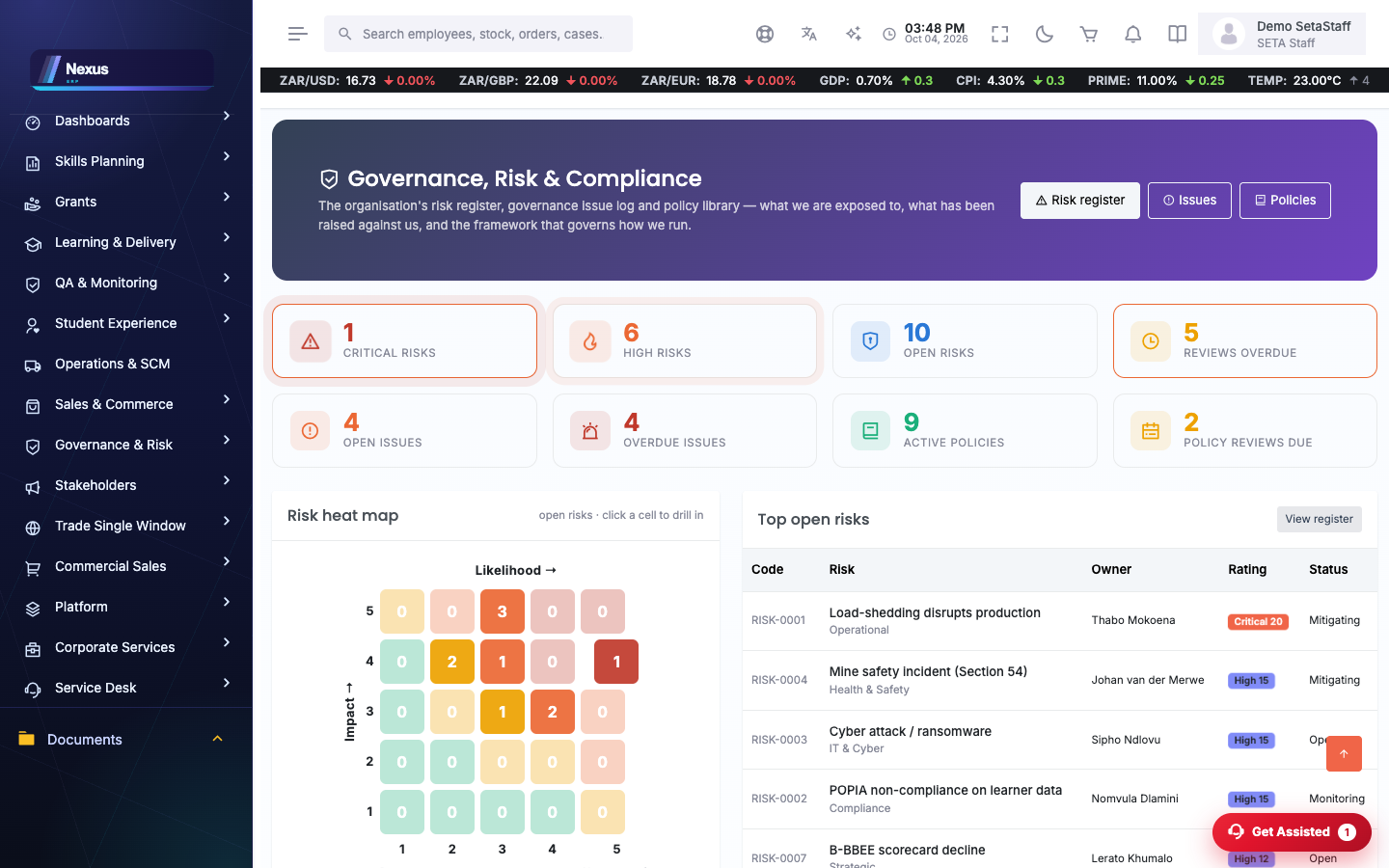
One view of the organisation’s risk posture: a clickable risk heat map with labelled axes, counts by band, and the critical and high risks pulsing for attention.
- Open the dashboard to the heat map; click a cell to see the risks that sit at that likelihood and impact.
- The critical and high risks pulse so the ones to address first are obvious.
⚠️The risk register and 5×5 matrix
Risks /Governance/Governance/Risks
Every risk with its likelihood, impact, resulting rating and owner. The profile shows a live 5×5 matrix and the band colours match the register badges.
- Open a risk (/Governance/Governance/RiskProfile) to its profile and live matrix.
- Set likelihood and impact; the rating and band follow automatically.
- Record the mitigation and the owner; critical and high risks flag on the list and dashboard.
📄Governance issues
Issues /Governance/Governance/Issues
Capture governance issues and track them to closure, with graphs that show where they cluster.
- Log an issue and open its profile (/Governance/Governance/IssueProfile).
- Track status through to resolution.
📁Processes and secured documents
Processes /Governance/Governance/Processes
The organisation’s processes, each with its supporting documents. The document store is secured.
- Open a process (/Governance/Governance/ProcessProfile).
- Upload its documents; the list shows an attachment icon and link.
⚠️ The process-document store is reachable only by administrators and the Governance & Risk team — documents are served through an authorised action, not a public link.