Help Desk / Service Desk
Every request in one pipeline: a self-service portal with a knowledge base, a WhatsApp intake bot with agent replies and delivery ticks, social channels, and an agent desk with SLAs and a live dashboard.
🗺Any channel in, one desk out
How the module fits together end to end. Colours mark who acts: navy = staff/admin, cyan = external user, green = organisation, orange = the system.
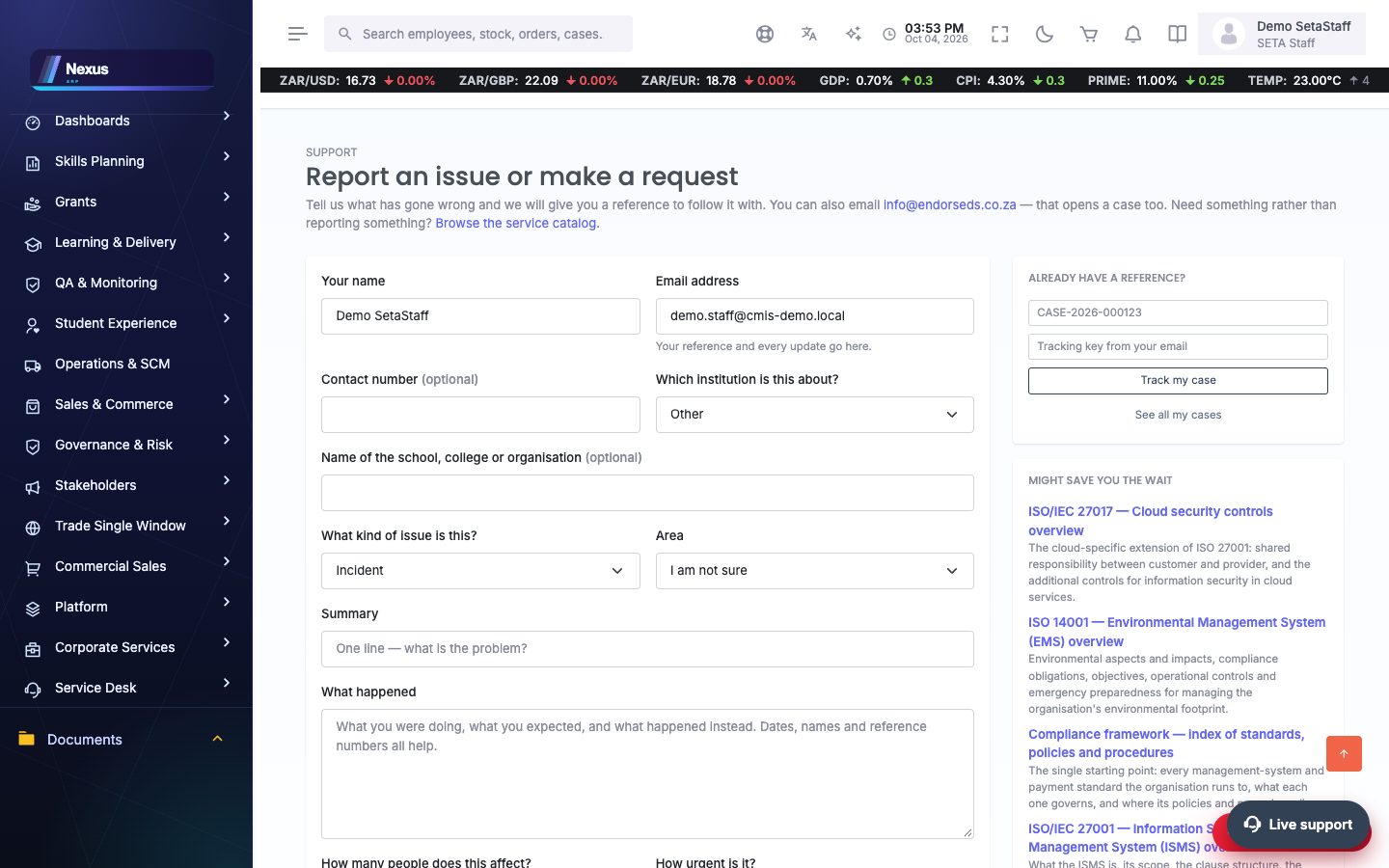
🧭1. Portal Case Resolution Process
A member of the public logs an issue and watches it to resolution — the desk works it under an SLA.
🎯The desk
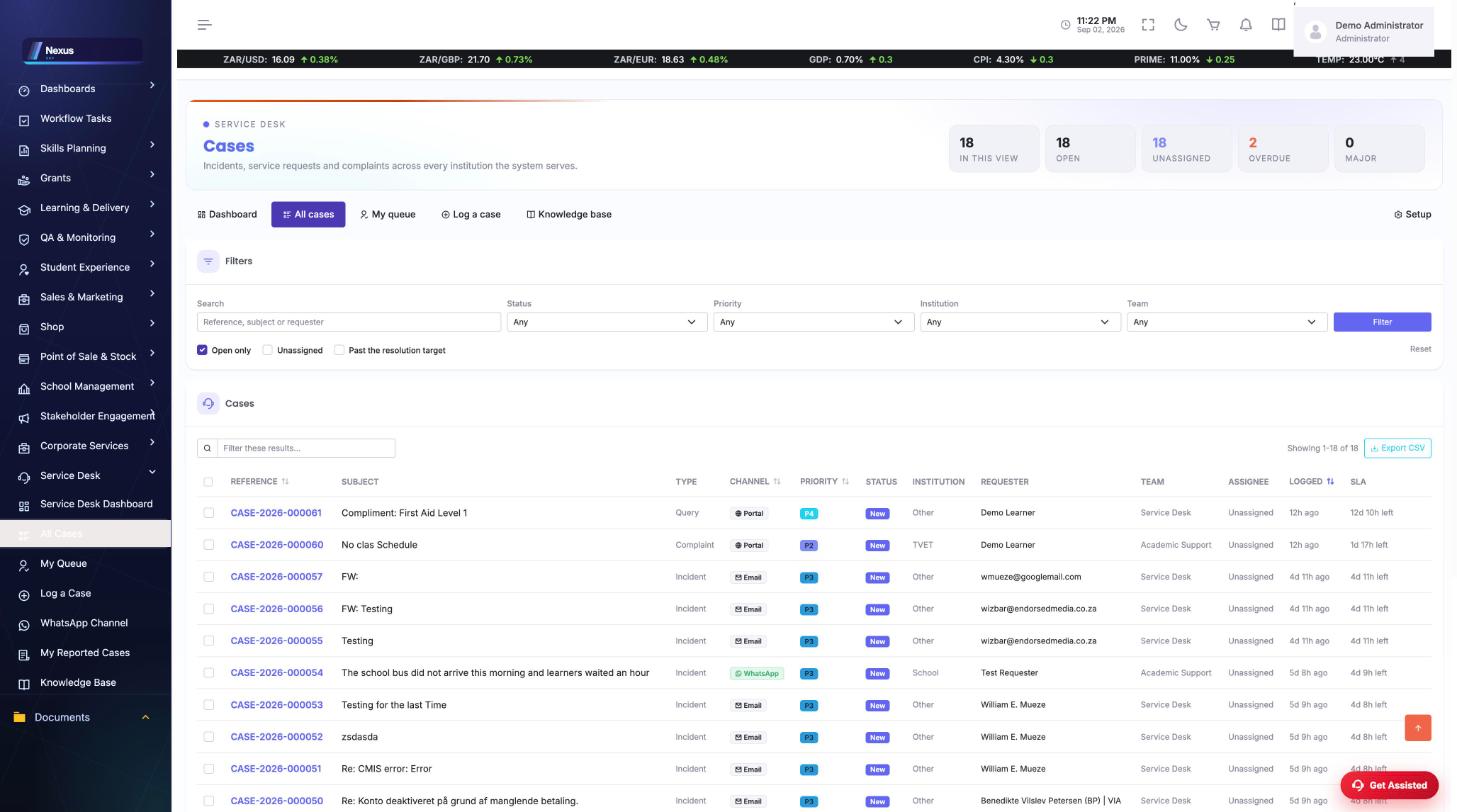
Cases /ServiceDesk/Cases/Index
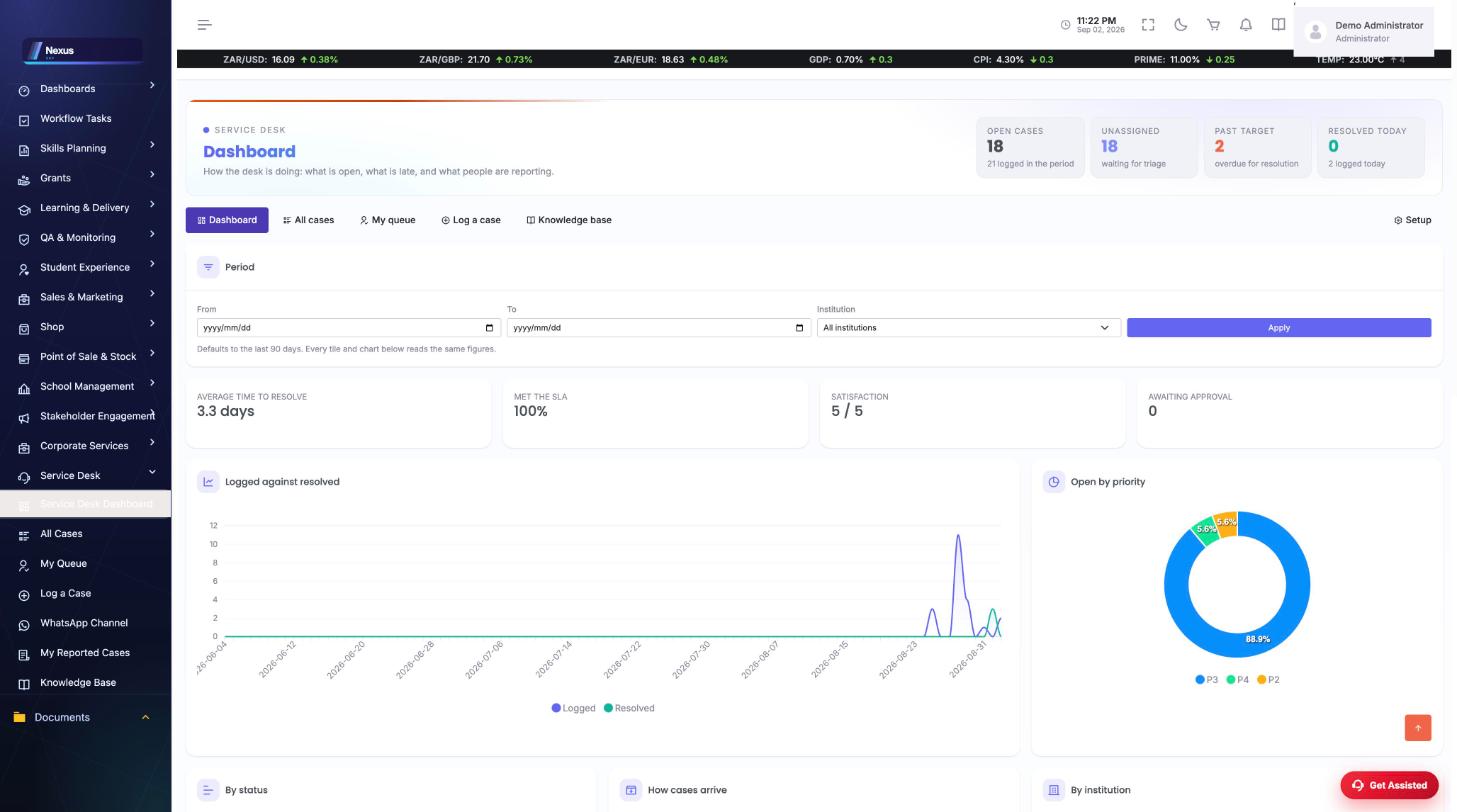
Every case with status, priority and SLA position; the dashboard (/ServiceDesk/Cases/Dashboard) shows the desk at a glance.
- Open a case (/ServiceDesk/Cases/Details) to its full thread.
- Capture a walk-in or phone case at /ServiceDesk/Cases/Create.
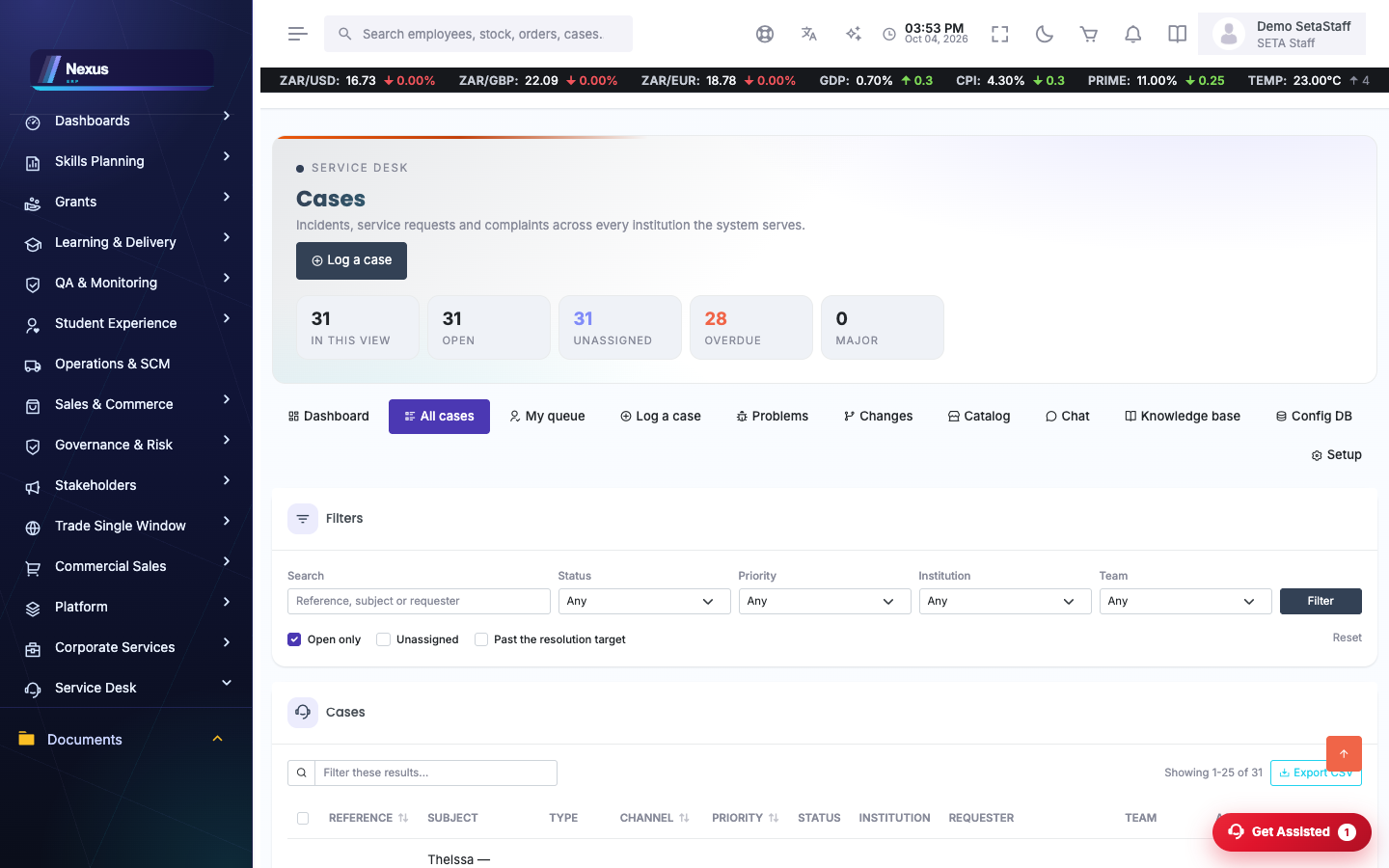
Setup /ServiceDesk/Setup/Index
Categories, queues, SLAs and channel configuration.
🧥Self-service portal
Portal /ServiceDesk/Portal/Index
The requester-facing side: browse knowledge articles (/Knowledge, /Article), submit a case, see your cases (/MyCases) and track one by reference (/Track).
- Search the knowledge base first — many answers resolve without a case.
- Submit with a clear description; the reference comes back immediately.
💬WhatsApp channel
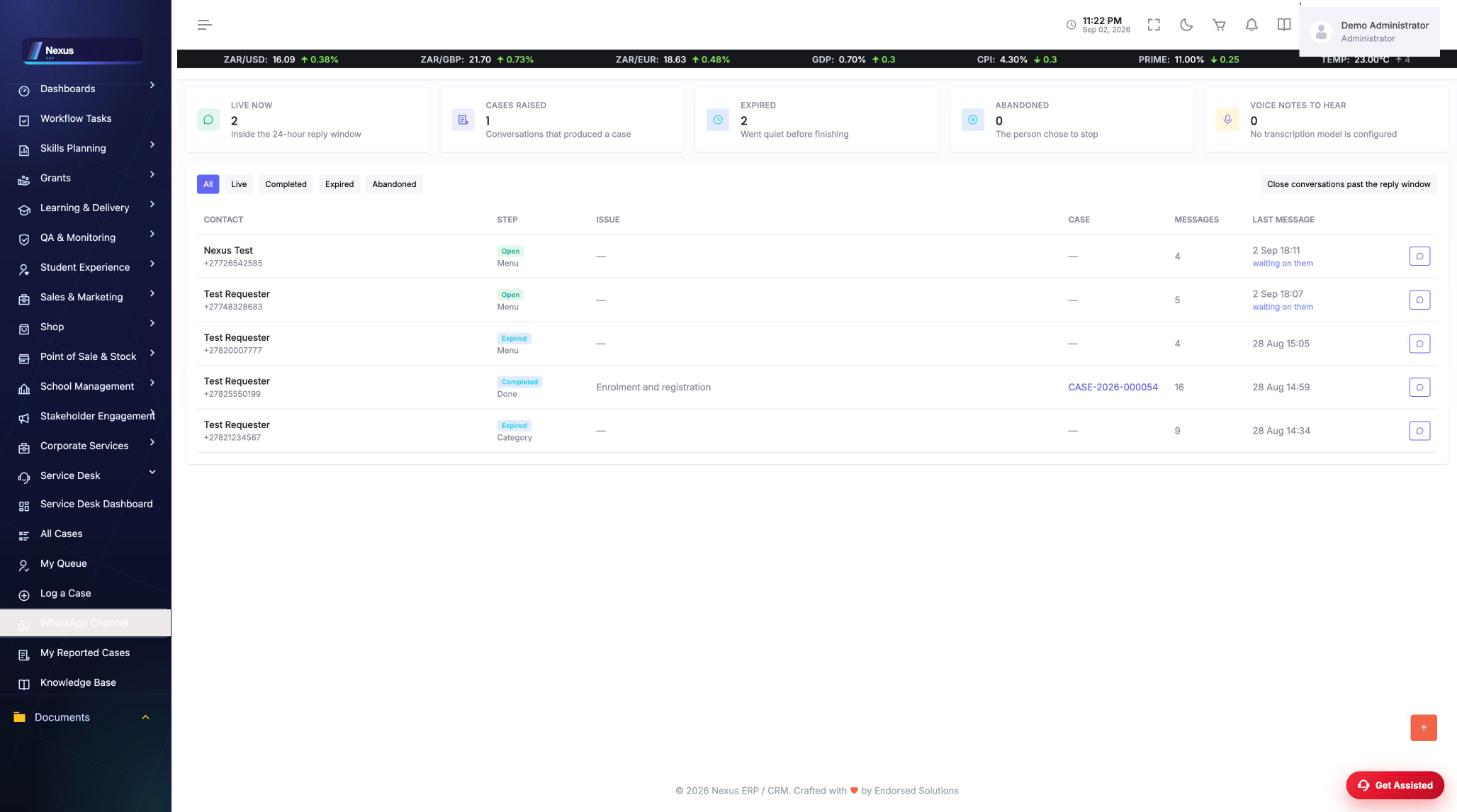
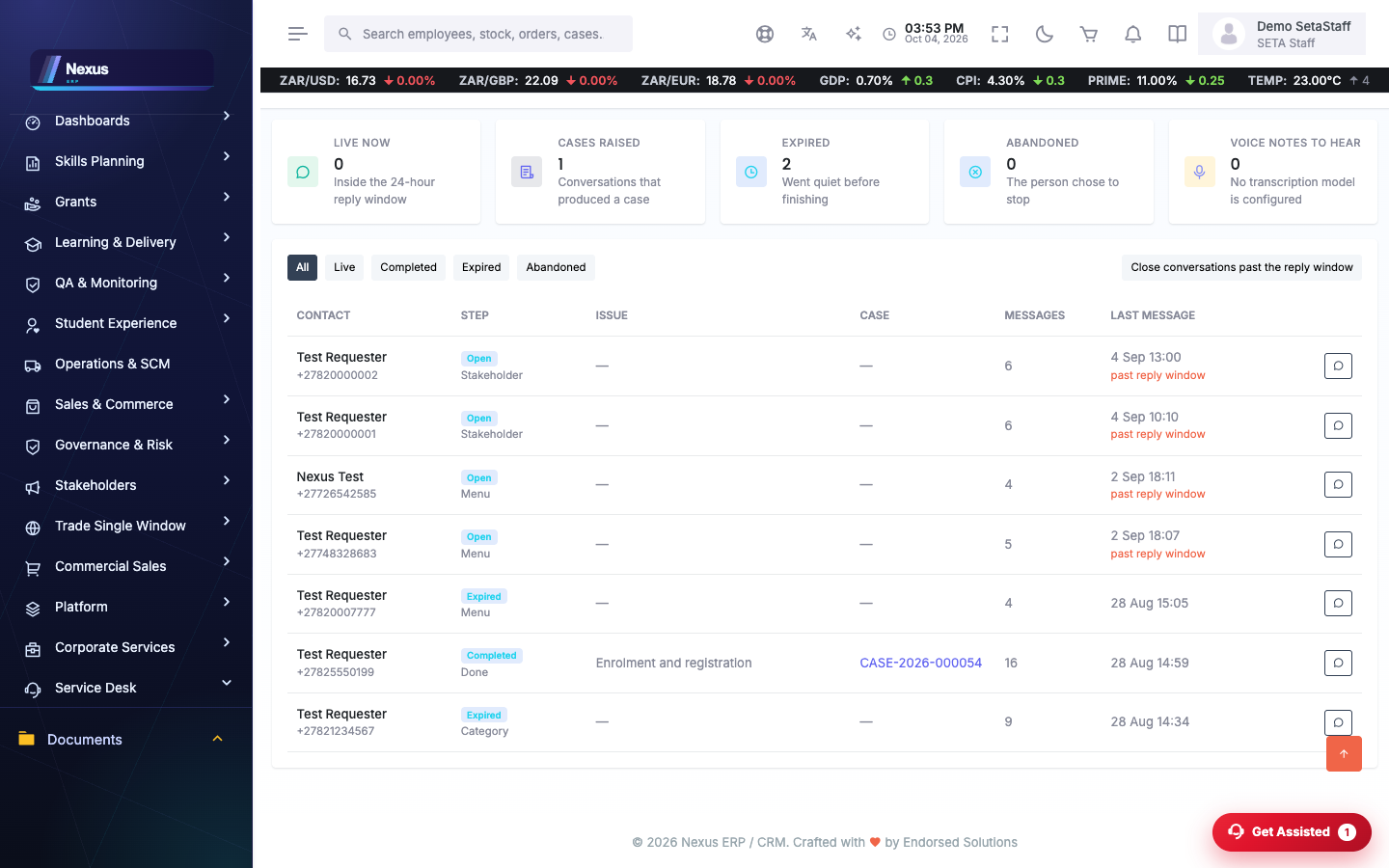
WhatsApp Intake /ServiceDesk/WhatsApp/WhatsAppIntake
Conversations arriving on the desk's WhatsApp number: the guided intake bot logs cases; agents read the thread and reply inside the 24-hour window. Outbound replies show delivery ticks (sent / delivered / read / failed).
- Open a conversation to read the full thread.
- Type in the reply box to answer on WhatsApp — available while the 24-hour window is open, whatever the bot flow's state.
- Voice notes and media are attached to the case.
🔁Social intake
Social /ServiceDesk/Social/SocialIntake
Messages from connected social channels flow into the same case pipeline; configure at /ServiceDesk/Social/SocialSetup.
🖥️Configuration database (CMDB)
Configuration items /ServiceDesk/Cmdb/Index
The assets the desk supports — servers, laptops, licences, printers, network gear — each as a configuration item with its type, status, criticality, owner and location. Cases can be linked to the item they are about, so an asset carries its own history.
- Open CMDB to the register; filter by type, status or search.
- Add or open an item (/ServiceDesk/Cmdb/Item) to its detail.
- Attach the item’s receipt, licence, invoice or specification — it hangs off the item for audit.
- Link a case to the item it concerns, so its incident history builds up.
❓FAQ & troubleshooting
A WhatsApp message did not create a case.
The webhook validates a cryptographic signature; check Setup and that the provider's webhook URL matches the configured one exactly.
What do the ticks on replies mean?
One tick sent, two delivered, blue read, red warning failed — reported by the provider's status callbacks.
Can the public track a case without signing in?
Yes — /ServiceDesk/Portal/Track takes the case reference.